Debugging layout
<View debug className="m-4 border-2 p-3">…</View>   // one element
<Page debug>…</Page>                                // the page and everything on it
<Document debug>…</Document>                        // every page
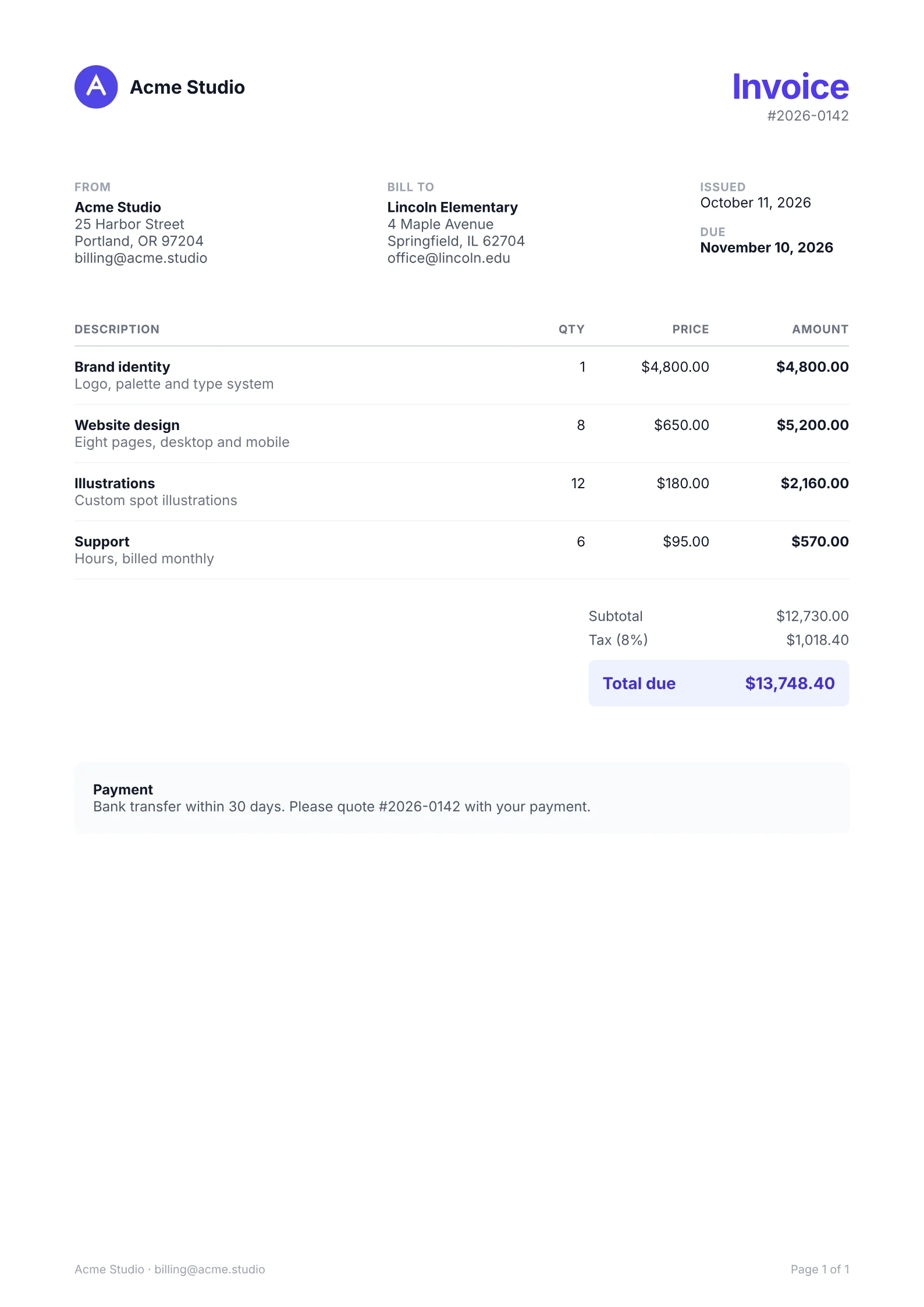
debug draws an element's boxes over the page, like the box model in browser developer tools:
the margin in orange, the border in yellow, the padding in green, the content box as a blue
outline, and the element's width and height in points as a small label. It works on View,
ImageBackground, Text, Image, Svg, Canvas, Table, Row, Cell, Spacer, the fields, Header and
Footer; on a Page it also outlines the page margins. A box split across pages is outlined
on each page it crosses, and a header or footer on every page.
On a Text, it also outlines the paragraph line by line: each line box as a dashed outline, its
baseline, and the glyphs of each run on the line, from the font's ascender to its descender,
filled in purple and teal by turns. A run that wraps has a box on each line it reaches, so a
Text or Link inside a Text shows where its words landed. Those inner elements are runs of
the paragraph's lines, not boxes, so debug on one of them draws nothing: put it on the outer
Text.
The outlines are drawn last, on top of the content, and the labels are drawn with lines, so text selection, search, links, bookmarks and form fields are unchanged. It changes the output, so remove it before you ship.
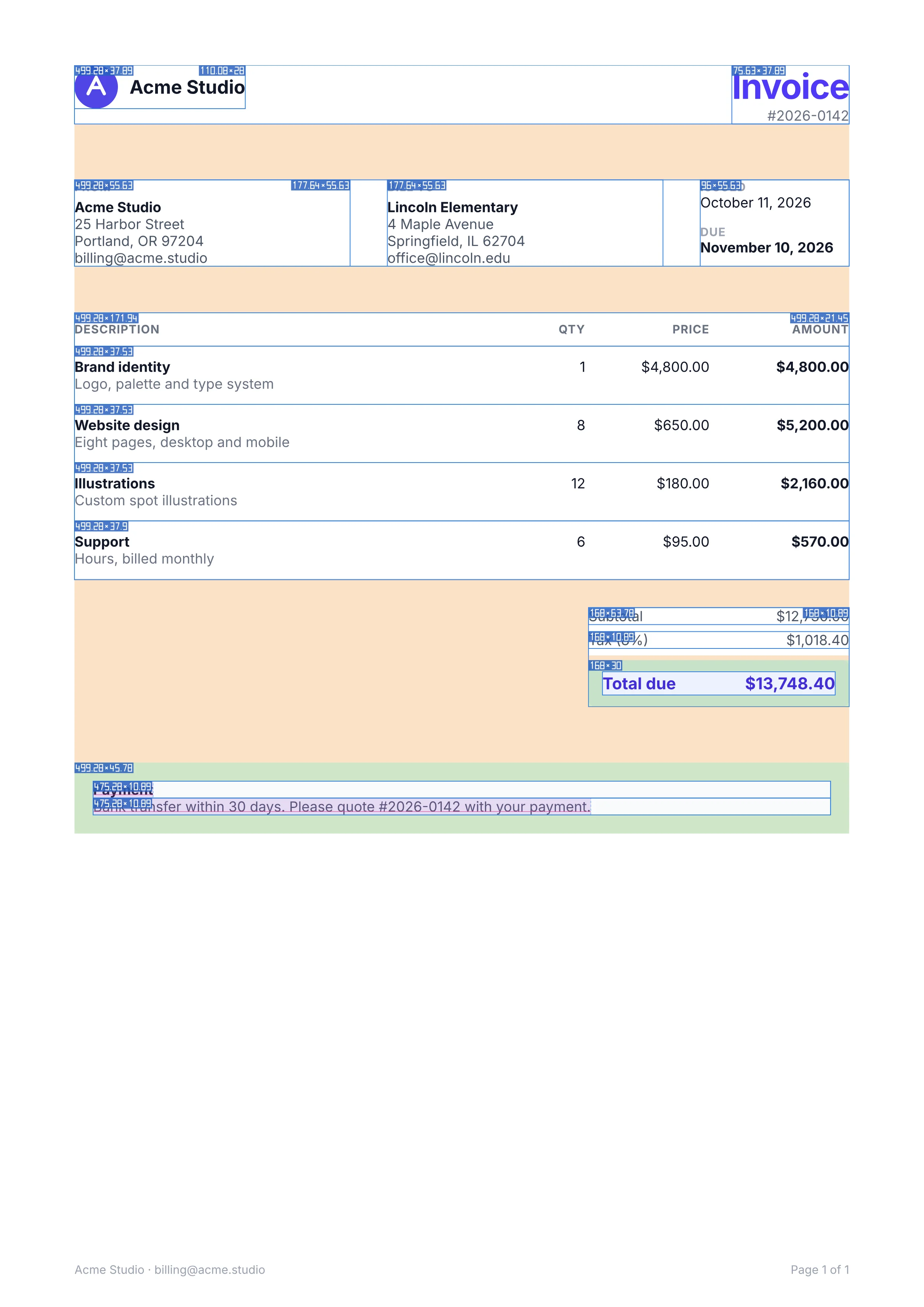
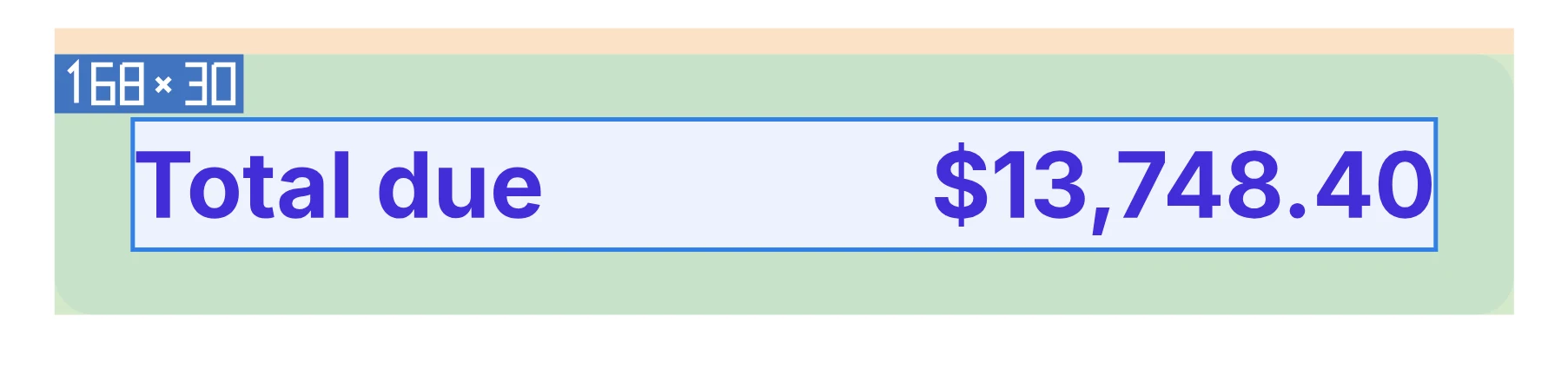
- Margin
- Border
- Padding
- Content
Drawn by the engine’s debug option, sizes in points.
Synced from packages/render/GUIDE.md in the inkoxide repository.