View
The box everything is laid out in: flexbox, grid, and empty space.
Import them from @inkoxide/render. Examples, and how these components work together, are in the guide.
View
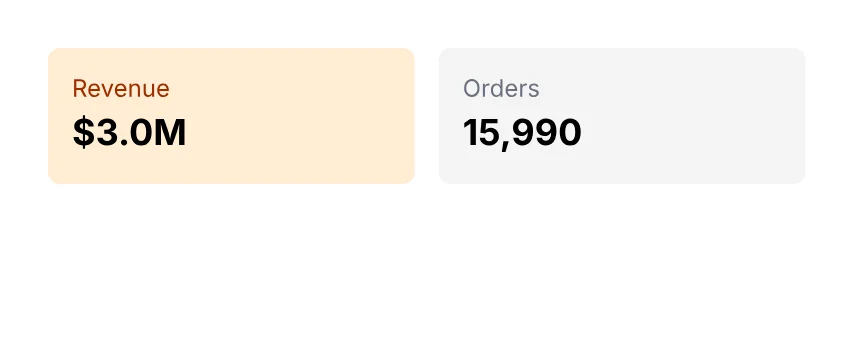
A box: flex column by default, and also grid.
import { Document, Page, Text, View } from '@inkoxide/render';

export default function Example() {
  return (
    <Document>
      <Page size={[320, 130]} className="p-6">
        <View className="flex-row gap-3">
          <View className="flex-1 rounded-md bg-orange-100 p-3">
            <Text className="text-xs text-orange-800">Revenue</Text>
            <Text className="text-lg font-bold">$3.0M</Text>
          </View>
          <View className="flex-1 rounded-md bg-stone-100 p-3">
            <Text className="text-xs text-gray-500">Orders</Text>
            <Text className="text-lg font-bold">15,990</Text>
          </View>
        </View>
      </Page>
    </Document>
  );
}
| Prop | Type | Description |
|---|---|---|
render | RenderProp |
It also takes the shared props break, wrap, minPresenceAhead, fixed, pages, href, bookmark, className, style, id, debug.
Spacer
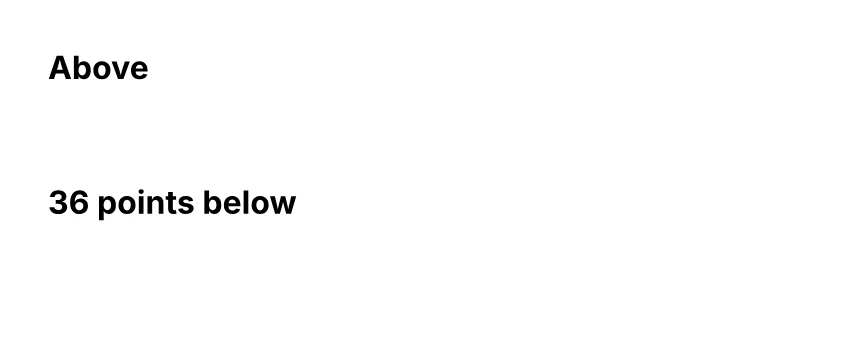
A forced page break; empty space.
import { Document, Page, Spacer, Text } from '@inkoxide/render';

export default function Example() {
  return (
    <Document>
      <Page size={[320, 130]} className="p-6">
        <Text className="font-bold">Above</Text>
        <Spacer h={36} />
        <Text className="font-bold">36 points below</Text>
      </Page>
    </Document>
  );
}
| Prop | Type | Description |
|---|---|---|
h | number | Height in points. |
w | number | Width in points. |
className | string | |
style | Style | |
id | string | |
debug | boolean | Outlines the spacer's box. |
Synced from components/view.md in the inkoxide repository.